The password has been sent by email.
Another one finished! The winner of the last poll. Yamato is a complex and fascinating character in One Piece. Biologically, Yamato is femal
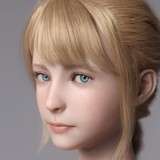
Another one finished! The winner of the last poll. Yamato is a complex and fascinating character in One Piece. Biologically, Yamato is female, but she identifies as male and uses "he/him" pronouns. This stems from his deep admiration for Kozuki Oden, the legendary samurai, whom Yamato idolizes to the point of adopting his identity and ideals.
As Kaido's child, Yamato was raised under strict and oppressive conditions, but she rebelled against his father's tyranny, choosing instead to fight for freedom and justice. Yamato possesses the Mythical Zoan Devil Fruit Inu Inu: Model Okuchi no Makami, which allows him to transform into a divine wolf with incredible powers.
In the Wano arc, Yamato plays a pivotal role in aiding the Straw Hat Pirates and their allies in their battle against Kaido, striving to liberate Wano from oppression. Her character embodies themes of self-identity, courage, and the pursuit of freedom, making her one of the most unique and inspiring figures in the series.
Rendered in XPS with my custom outline shader available here in patreon or in deviantart.
DoA Style Ready Pose: In XPS format with all bones renamed. Shapekeys to optional faces and bones that can change some parts modified by the shapekeys (tongue, eyebrows...)
MMD Ready Dance Pose: Prepped for MMD dancing with hair and boobs physics! (skirt physics are bad, sorry for that, i'm still learning) (Optional Clothes in other morphs).
FBX and Blender 3.6.9 LTS: Included in MMD pose!.
Optional Parts: In XPS, use Ctrl + A . (Shapekeys converted to Optional Faces). If you want her with face blush drag the texture in the "tex -- blush" over an XPS window or replace the face texture in the "tex" folder (keep a backup) In XPS don't set the shadow depth more than 10 or you will see ugly darker parts on her face.
Optional Parts in MMD: The material morphs are located in the "Other" group. "Body Switch" allows you to toggle between two body types—the default version with clothes, and the exposed clothed version or nude version.
To hide all the default clothes at once, use "Clothes All h."
To hide only specific parts of the default clothes, use individual morphs like "cl.Top" to hide the Top, for example.
The exposed clothes version can be displayed easily:
First, use "Clothes All h" to hide the default clothes.
Then, apply "Clothes Exposed s" to reveal the exposed clothes version in one step.
If you want to display only certain parts of the exposed clothes, use morphs that include "ex" (exposed) in the name. For example:
Use "cl.ex Top s" to show the exposed Top.
The "h" or "s" at the end of the morph names indicate their function:
"h" means the morph hides the clothing.
"s" means the morph shows the clothing.
All individual morphs for default clothes are designed to hide their respective items ("h" at the end), while individual morphs for exposed clothes are used to show them ("s" at the end).
Animanpower
2025-04-20 00:07:16 +0000 UTCMatthew Blaze
2025-04-19 23:55:39 +0000 UTC