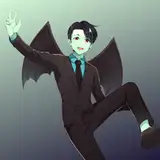
DOA Pose Ready
Renamed Bomes
Optional anime Outlines and Clothes Ctrl+A (For the Outlines activate Back Face Culling)
Shape Keys Facial Expressions to Optional Faces Ctrl+A (Activate a [face eyebrows] option together with only one of the four [face Eyes Op] or [face eyes Cl] option. I did it this way because only one group of faces were too much optional faces on the XPS window.
or
Shape Keys in FBX
[0 SHAPE KEYS <BACKUP] is the Body and Face with Shape Keys with a lot of meshes Joined including clothes, this is kind of a Backup file, because the clothes aren't optional.
if you prefer them as separated meshes and separated from other kind of meshes like clothes or accesories use the following parts.
[1 EYEBROWS SHAPE KEYS] Eyebrows mesh with shape keys only
[1 FACE SHAPE KEYS] Face mesh with shape keys only
When importiing the FBX to blender, some meshes may look wrong. Change the Blend Mode setting in Blender found in =>Material Properties=>settings, and set it from "Alpha Blend" to "Alpha Clip"
For XPS is recommended to use [XL_DetailShadlessOutline] User Written Shader fround in the XL_CelMap subgroup of shaders (In this mode outlines won't work right), or use it with [shadow depth] settings values betwen 0 - 20
Magh
2024-12-09 21:57:17 +0000 UTC